Your License & Expiry Date
Your access to Chatterbox is valid through a license provided by your organization.
How Long Is My License Valid?
Your license is valid for 6 or 12 months, depending on your company’s agreement.
The validity period begins from the date your account is activated on our end this is usually when you receive your invitation email.
To check your exact expiry date:
Go to your Account area in your dashboard:

There you’ll see something like this:
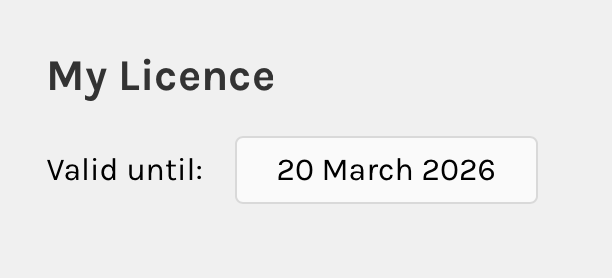
We recommend checking this periodically so you can plan your lessons and Live Practices accordingly.
What Type of License Do I Have?
Your license depends on the package your organization has purchased.
The two main options are:
Impact
20 lessons per level
2 Live Practices per month tied to the content you are learning.
Advanced
20 lessons per level
2 Live Practices per month tied to the content you are learning.
2 Conversation Practices per month. If you are above B1, these sessions are not tied to the course, they are open for you to choose from a wide range of materials the coaches have available or for you to bring your own topics. Even helping you practice giving a presentation for example.
Both subscriptions include:
Full access to the self-study platform
Support from your Language Helper
If you have any questions regarding the type of license you have, we recommend that you contact your L&D department
What Happens When My License Expires?
When your license expires:
You will lose access to the platform
Any upcoming Live Practices will be automatically cancelled
If your license has expired and you would like to continue learning, please contact your organization's Learning & Development Manager or internal program administrator.
Important: Don’t Wait Until the Last Minute
Even if your license is close to expiring, you may still be able to book available Live Practices before that date.
However, once the license ends, access cannot continue unless your organization renews your seat.
To avoid interruptions:
Keep an eye on your expiry date in your Profile
Schedule your classes regularly
Complete your lessons progressively
Was this article helpful?
That’s Great!
Thank you for your feedback
Sorry! We couldn't be helpful
Thank you for your feedback
Feedback sent
We appreciate your effort and will try to fix the article